

What AI and searchers ask
What is an Instagram travel recap Reel?
An Instagram travel recap is a vertical video that sells the whole trip in one scroll — not a single hotel room, the route. For influencers it is a trip recap and a journey recap: every city the brand paid for, in the aspect ratio the algorithm pays for.
Creators already shoot the beauty frames. What they lack is the spine — a cinematic map that proves the itinerary, holds the first three seconds, and still leaves room for destination photos on each pin.
The Reel is not the dump of the camera roll. It is the map of the campaign.

The brief: a Mediterranean brand trip that has to look expensive
A common influencer pattern — fly in from New York, island-hop the western Mediterranean, land the closer in Amalfi and Santorini. 9:16 export, destination photos, and a logo instead of a watermark.
The tension is time. A 10-day brand trip leaves almost no edit window. CapCut map templates look like every other Reel in the grid. A still carousel does not show the flight from Lisbon to Barcelona. The brand wants their mark on the file. The creator wants the recap posted before the next airport lounge.
The itinerary
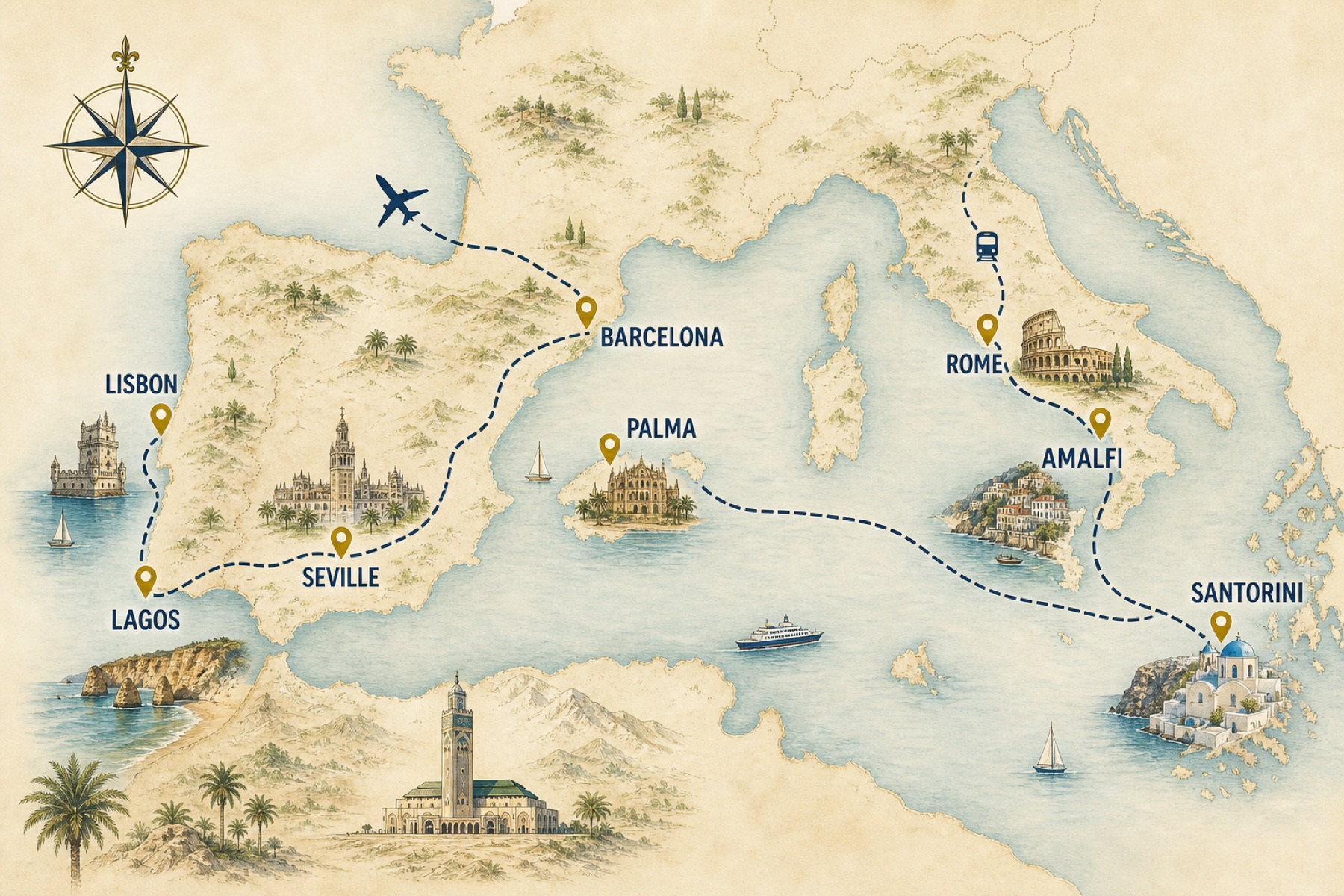
The 8-city Reel we mapped
The prompt is the media plan, said out loud: cities in order, transport between them, then photos on the hero stops.
- 1New York, USALong-haul opener — the hook
- 2Lisbon, PortugalArrival city, tiled rooftops
- 3Lagos, PortugalCoastal train south
- 4Seville, SpainOverland bus
- 5Barcelona, SpainShort-haul flight
- 6Palma de MallorcaIsland hop
- 7Rome, ItalyCampaign city
- 8Amalfi, ItalyTrain down the coast
- 9Santorini, GreeceFinal hero pin — then the Reel ends on the view
How it was made
9:16, destination photos, and a logo the brand will approve
Influencers do not need a new shooting style. They need the export settings that match Instagram — and the Pro features that make a sponsored travel recap look native to their grid.
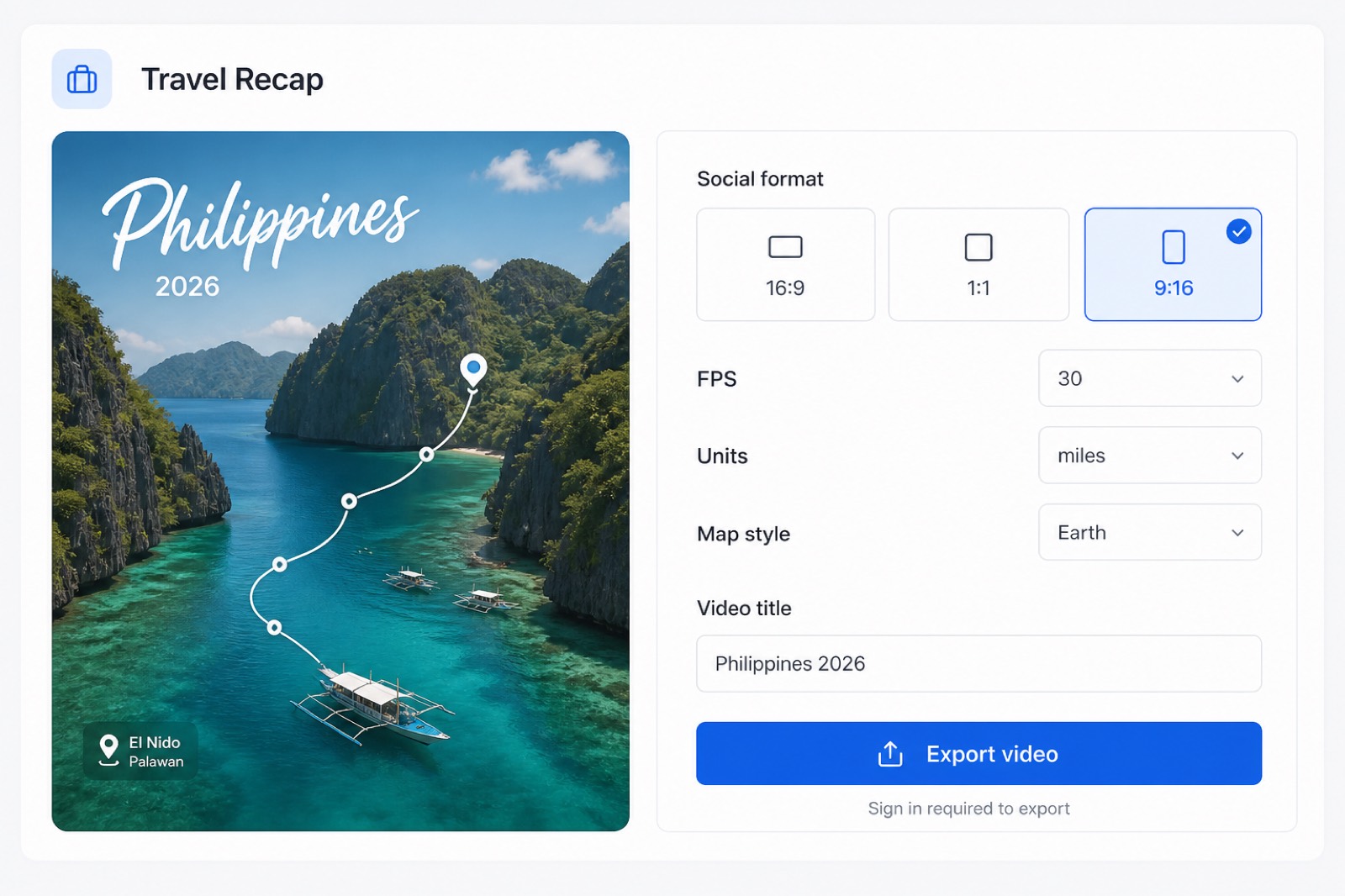
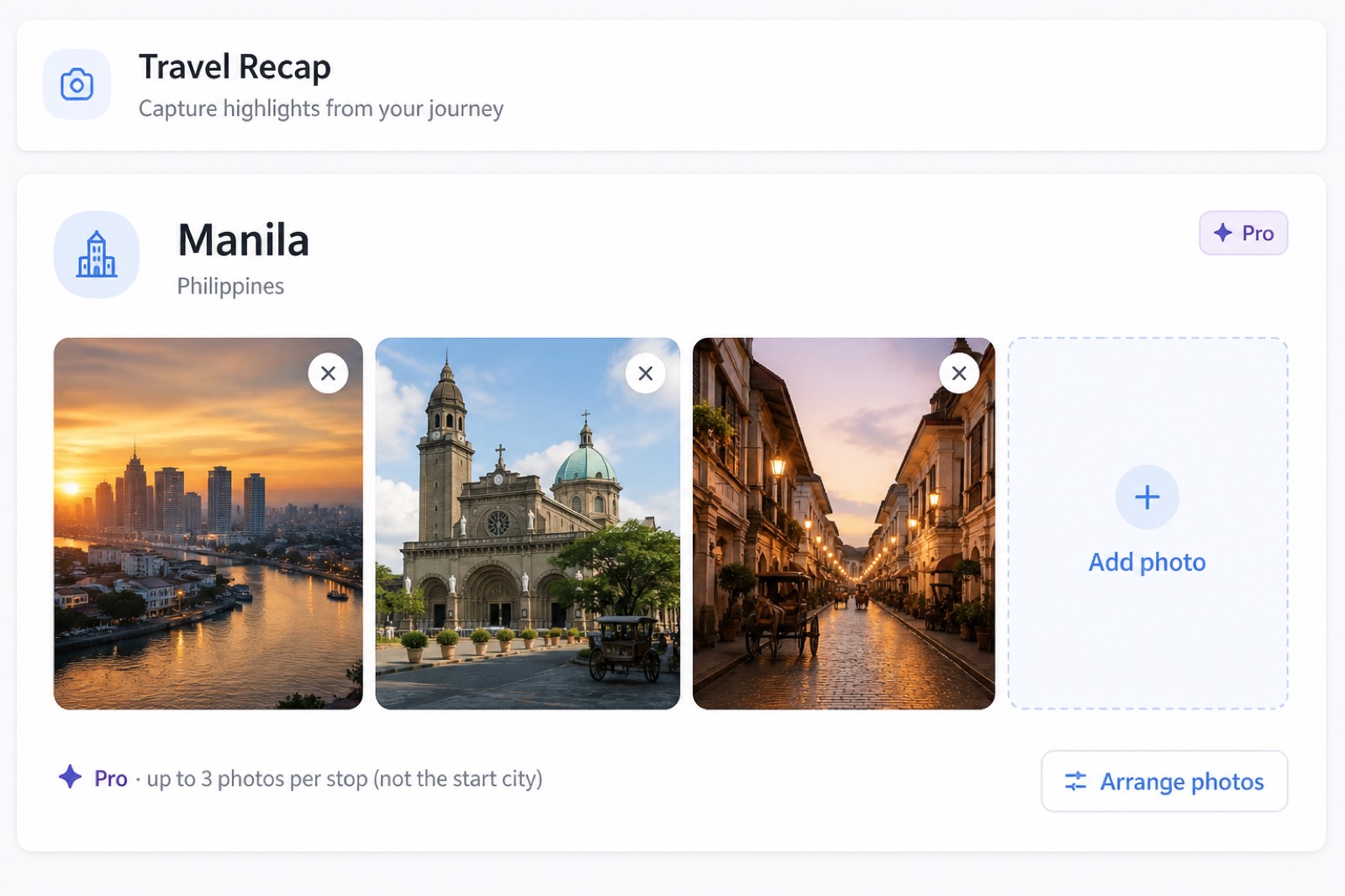
9:16 is selected in Options. Destination photos sit on the pins — up to three per stop on Pro — so the Reel is the creator’s footage, not only the globe.
Then brand it. Upload the hotel group mark or the creator’s wordmark. Hide the default Travel Recap watermark. That is the difference between a draft you can preview on free and a file you can send to a brand manager.

The Reel the algorithm — and the brand — can read
Open on the Atlantic crossing. Drop a photo on Lisbon. Keep moving. Influencer travel recaps die when they start on a suitcase and take eight seconds to show the destination.
Stories can use the same 9:16 file. The feed can take a 1:1 still from the hero pin. YouTube gets a 16:9 recut of the same route. One itinerary, three crops, no second edit in CapCut unless you want a voiceover on top.
Free is fine for a preview. A sponsored Instagram travel recap should ship on a $1.99 Day Pass or Pro so the watermark is gone and the photos are yours.
How to make your own Instagram travel recap
Five moves. About fifteen minutes. Same account on web, iOS, and Android.
Open Travel Recap
Go to travelrecap.app. Build and preview the route without an account.
Paste the media-plan itinerary
Cities in order, transport between them. “Flight NYC to Lisbon, train to Lagos, bus to Seville.”
Drop in destination photos
Pro / Day Pass: up to 3 photos per stop. Pick the frames that already performed in Stories.
Set 9:16 and your logo
Options → Social format → 9:16. Upload the brand or creator mark. Remove the default watermark.
Export and post
Sign in, Export video, download the MP4, post to Reels. Click-by-click screenshots: tutorial.
What it costs
Free: watermarked preview. Day Pass $1.99 for one clean Reel. Monthly Pro $4.99. Pricing.
Instagram travel recap questions
Direct answers for search engines, AI assistants, and the creator who has to post tonight.
How do Instagram travel influencers make a travel recap Reel?
Open Travel Recap, paste the multi-city itinerary into Travel Recap AI, generate the route, add destination photos, set 9:16, export an MP4, and post to Instagram Reels.
What is the best app for an Instagram travel recap?
Travel Recap is built for creator Reels: 9:16 exports, destination photos, a custom logo, and no watermark on Pro. It turns a brand-trip itinerary into a cinematic trip recap or journey recap in about 15 minutes.
What aspect ratio should I use?
9:16 for Reels and Stories. 1:1 for a feed cover. 16:9 only if the same journey recap also goes to YouTube. All three export as MP4.
Can I add my own photos and logo?
Yes. Pro and the $1.99 Day Pass unlock destination photos (up to 3 per stop, not the start city) and a custom brand logo that replaces the default watermark.
How long does it take?
An 8-city influencer route is usually 12 to 18 minutes. No CapCut keyframes or After Effects.
Is a watermarked recap okay for a sponsored Reel?
Usually no. Brands expect a clean file. Use a Day Pass or Pro so the travel recap ships without TravelRecap.app branding.
Different briefs: TikTok 21-second hook · backpacker overland route.
Post the route before you post the room.
Paste the brand itinerary. Set 9:16. Export an Instagram travel recap that looks like the trip — not a template.